Looking for a TI WooCommerce Wishlist alternative?
If you're weighing a switch, here's what matters: what Wishmio does, exactly how migration works, and what it costs. No feature-matrix theater — just the facts you need to decide, and a one-click importer if you do.
Download free See the benchmark
What Wishmio is
Wishmio is the wishlist built to complete WooCommerce core's own Shopper Lists direction: it mirrors core's Store API shapes and adds what core scoped out.
- Free: guest wishlists that merge on login, share links, multiple named lists, block and classic theme support, and one-click importers.
- Pro: back-in-stock email alerts (double opt-in, works for guests) and top-wishlisted analytics.
- Accountable performance: every operation runs on a published query budget, verified by a reproducible benchmark you can run on your own store.
How migration from TI works
- Install Wishmio alongside your current setup — nothing changes on the storefront yet.
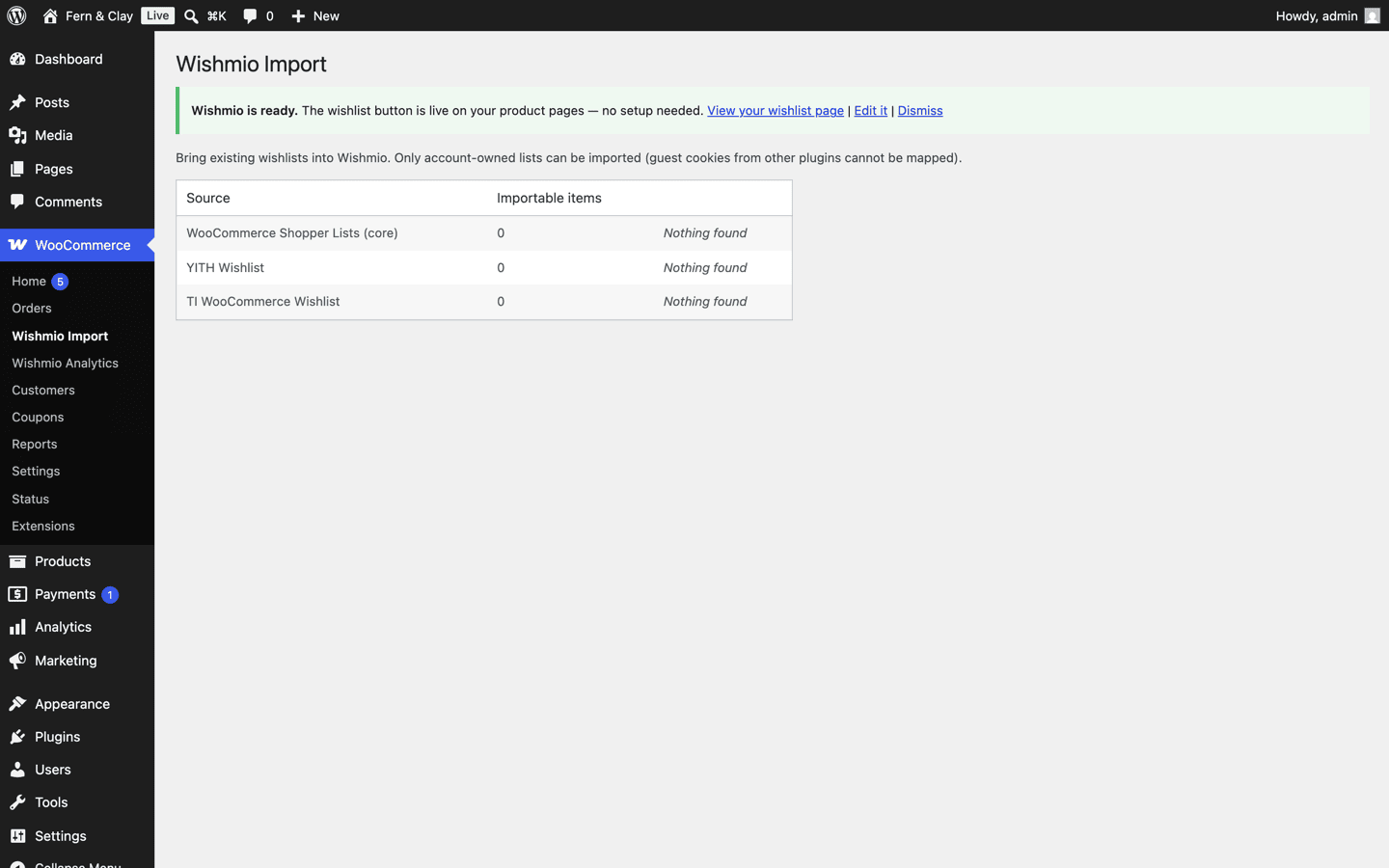
- Wishmio detects existing TI wishlist data and shows how many items are importable.
- Click import. Your customers' saved products — including variation and quantity selections — copy into each customer's Wishmio wishlist. The import is idempotent: running it twice never duplicates an item.
- Deactivate the old plugin when you're satisfied. Your customers' saved products are exactly where they left them.
What it costs
The free plugin is the complete wishlist — guest lists, sharing, multiple lists, importers. No trial, no feature timer.
Wishmio Pro is $59/year for the email layer and analytics, with two promises: renewals never increase — the price you join at is your price forever — and a 14-day no-questions refund. For comparison, TemplateInvaders publishes its own TI Wishlist pricing on its site ($79/year at the time of writing, July 2026).
Common questions
Will my customers notice the switch?
Their saved products carry over, and the wishlist button and page render on your existing theme — block or classic — without template surgery. Theme compatibility →
Can I try the import safely?
Yes. Importing copies data into Wishmio's own tables and changes nothing in the old plugin's data, so you can verify everything before deactivating anything.
What happens to my wishlist data if I later leave Wishmio?
It's yours: plain, indexed tables on your own site, personal-data export/erase wired into WordPress core tools, and a clean uninstall that removes everything. Privacy details →
Switch in an afternoon
Download free, run the importer, and see your store's wishlists in Wishmio before you commit to anything.