Importing WooCommerce Shopper Lists into Wishmio
Already trying core's built-in wishlist (Shopper Lists, WooCommerce 10.9+)? Wishmio is built to complete it, not replace it — same Store API conventions, plus the parts core scoped out. Bringing your existing Shopper Lists data across takes one click.
Prerequisites
- WooCommerce 10.9+ with Shopper Lists data (the experimental feature doesn't need to stay enabled — the import reads the stored data either way).
- Wishmio free installed and activated. No settings needed — the importer is built in.
- Recommended for any data operation: a current site backup. The import only writes to Wishmio's own tables and only reads core's data.
Step by step
- Open the importer. Go to WooCommerce → Wishmio Import. Wishmio detects Shopper Lists data and shows what it found.
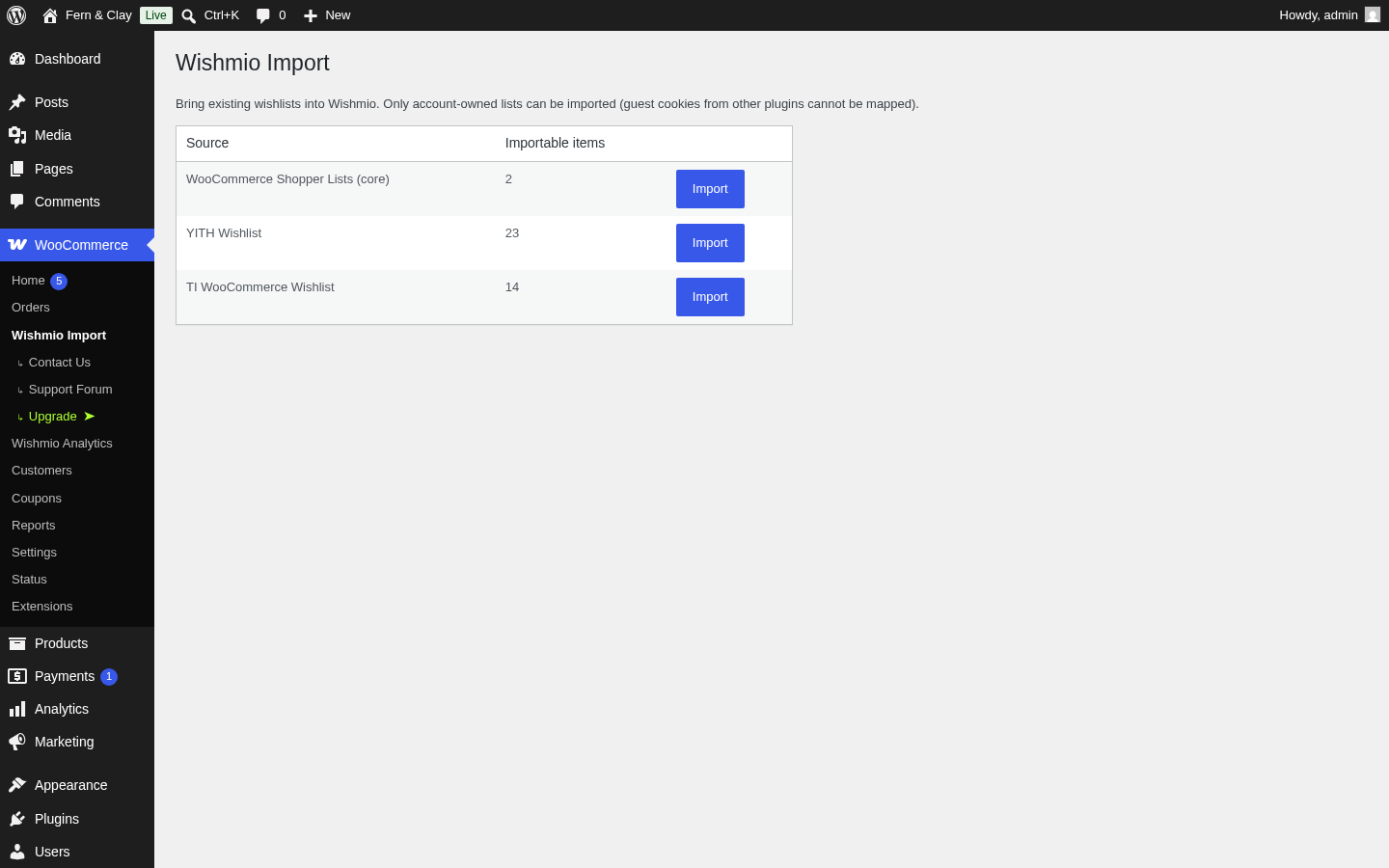
- Click Import next to WooCommerce Shopper Lists (core). The import runs in one request and reports what it did.
- Verify (checklist below). Core's Shopper Lists data is untouched — you can keep experimenting with it, and re-run the import any time; it never duplicates.
What carries over
- Every customer's lists, keeping their identity. Core's wishlist becomes the customer's Wishmio wishlist; a save-for-later list stays a separate list under the same name.
- Quantities. Core items carry a quantity; Wishmio stores the same field, so nothing is flattened.
Why this works so cleanly: Wishmio's data model deliberately mirrors core's Store API shapes — items carry
quantity, variation references, and list slugs the same way. That's the "companion, not competitor" design: data moves without translation loss. The full completion story →Current scope: one-way import. The import copies core's data into Wishmio; it doesn't write back. Shopper Lists is still experimental and its storage may change — we track it closely, and the import path is the stable bridge.
What to check after
- A customer who used Shopper Lists sees the same saved products on the Wishmio wishlist page — including a separate save-for-later list if they had one.
- The wishlist button renders on your product pages (block and classic themes both work — including the classic themes core's experiment doesn't cover).
- Guests now get a wishlist too — try it in a private browser window; that's the biggest visible change from core-only. How guest wishlists work →
Rollback
The import is copy-only: core's Shopper Lists data is never modified or deleted. To roll back, deactivate Wishmio and core continues exactly as before. Uninstalling Wishmio removes its tables completely (clean uninstall).
Complete the core wishlist
The free plugin includes the importer, guest wishlists, sharing, multiple lists, and classic-theme support — everything core's team deliberately scoped out.